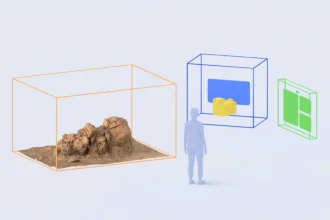
SiNGRAY G2 demonstration at AWE USA 2026. Image: HMS / James Hu
I was impressed by HMS SiNGRAY G2’s display when I had the chance to try it out in Atlanta recently. But that was only a 5-minute demo; and a HoloLens 2 replacement still has to prove itself on the equipment and the applications your team uses every day, whilst also being worn over longer periods.
A technician reading a checklist through AR glasses doesn’t necessarily need it lined up with the machine, whereas an arrow identifying a particular valve has to stay on that valve as they move around it. An existing procedure that depends on this accuracy is a useful starting point for comparing headsets on the equipment you already use.
HMS showed me its SiNGRAY G2 at the Augmented Enterprise Summit, then followed up with written answers for The XR Beat about the checks it recommends before a rollout. You can plan a trial around Microsoft’s HoloLens 2 support timetable, allowing time to adapt your applications before replacing the devices already in use.

Check the Overlay on Real Equipment
The headset needs to keep the overlay aligned with the correct component as the operator crouches or walks around to the other side of the machine. Having them leave the area and return will show whether it can place the overlay in the same position again. The lighting belongs in this test too, particularly where polished surfaces throw back glare that didn’t show up in the demo.

HMS says the G2 has adjustable tint, so technicians can try reading the instructions with different settings while wearing their usual protective equipment. The company also says its rear-mounted battery can be swapped without shutting the headset down, which you can test partway through a procedure by checking whether the app resumes at the correct step with its overlays still in place.
See What Runs Without a Connection
HMS says the G2 handles spatial tracking on the device, although it told The XR Beat that “offline functionality and data handling depend on the specific application and deployment architecture.”
Starting the headset in a test area without network access lets you see whether the operator can open the instructions and save a completed inspection before reconnecting. IT can then check that the record arrives against the right asset and establish what stayed on the device while it was offline, as well as what was sent back when the connection returned.

Bring One of Your HoloLens Apps
The SiNGRAY G2 runs Android 15 and HMS offers an OpenXR-based development environment, which can help when adapting an existing application. A HoloLens app may still rely on Windows-specific APIs for functions such as saving and restoring anchors, so the developer needs to establish how those functions would behave on the new headset.
A trial build of an app that technicians already use lets them repeat a familiar procedure on both headsets and identify where they have to do something differently. Hand input is a useful example, especially when someone needs to confirm a step while wearing gloves. The developer can use those findings to estimate the changes needed and the cost of maintaining both versions during the switchover.
Set Up a Spare Headset
IT can use a reset headset to establish how long it takes to get a replacement ready for a technician, including enrollment in the management system and installation of the approved app and settings. The technician can then try the procedure at the same machine to see whether anything needs setting up again on site.
HMS offers extra engineering help through an optional Developer Support License, so you’ll need to check which assistance is included in the price you’ve been quoted. The supplier should be able to explain who handles an app update that breaks a procedure and how a replacement device reaches the site. Ask for the prices and turnaround times in writing, then use the spare-headset test to check what the support service you’d be paying for can deliver before you place the fleet order.